Summary Page
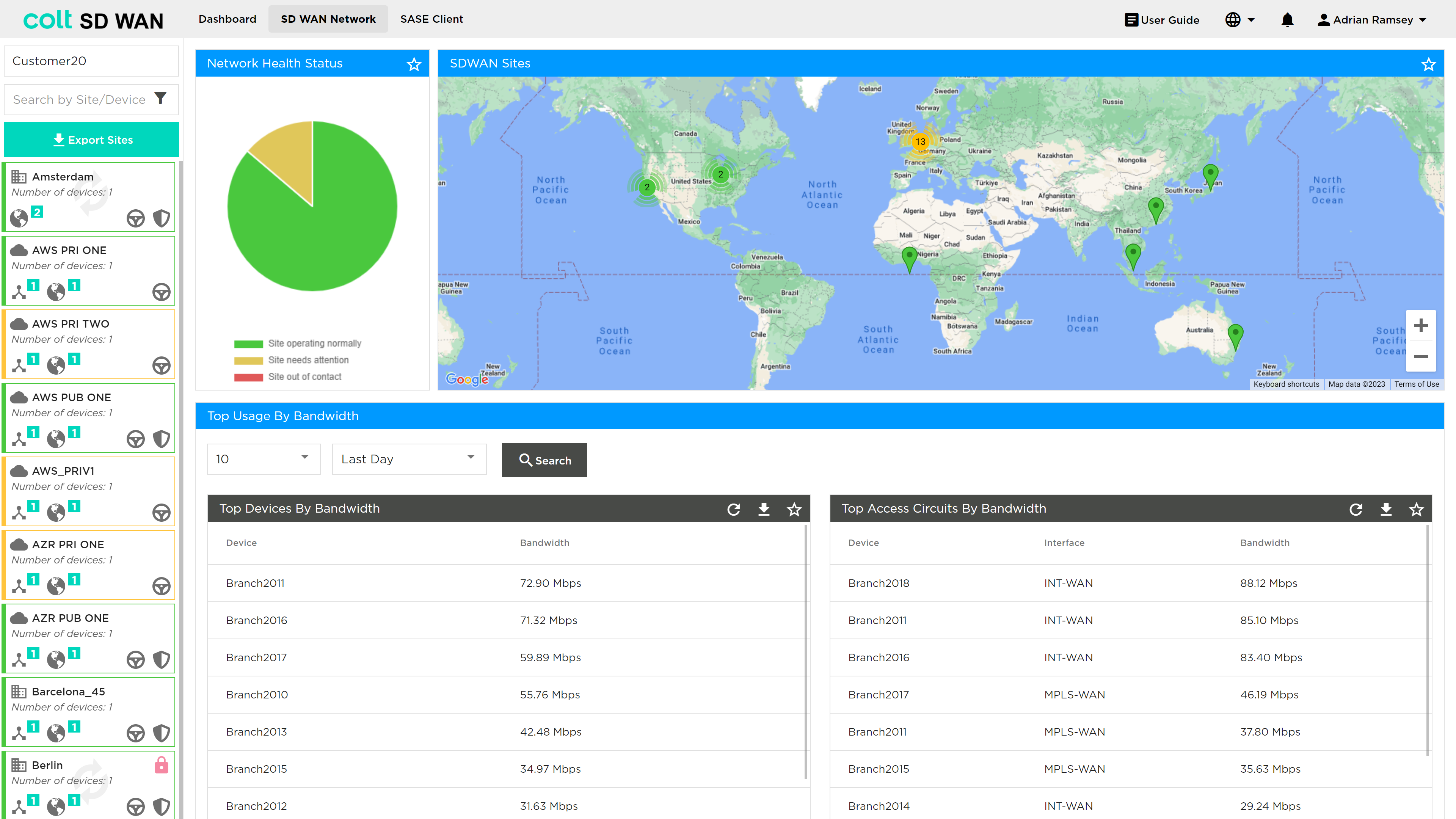
The Summary page view shows as in the photo below:
-
The sites
-
The VPN or IPC health status
-
Top sites and circuits by usage
-
Export Sites button
| The export sites button allows to download information about the Sites, Devices, Circuit References and Interfaces on an .xlsx or pdf format. The report includes, interface and site names, type, features enabled, status and more. |
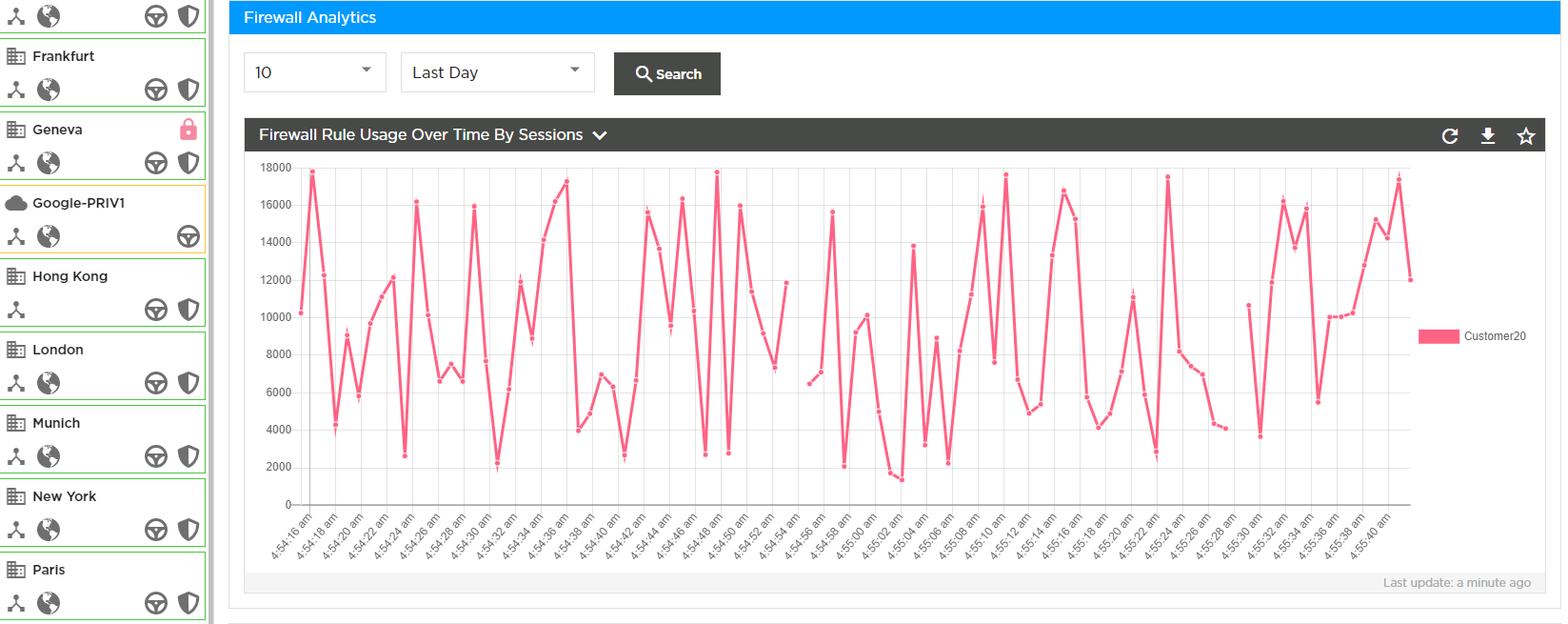
In addition, there is the ability to view aggregate Firewall usage statistics, as well as to view and edit Bulk copy rules.
Policy or Rule Changes and Bulk Copy
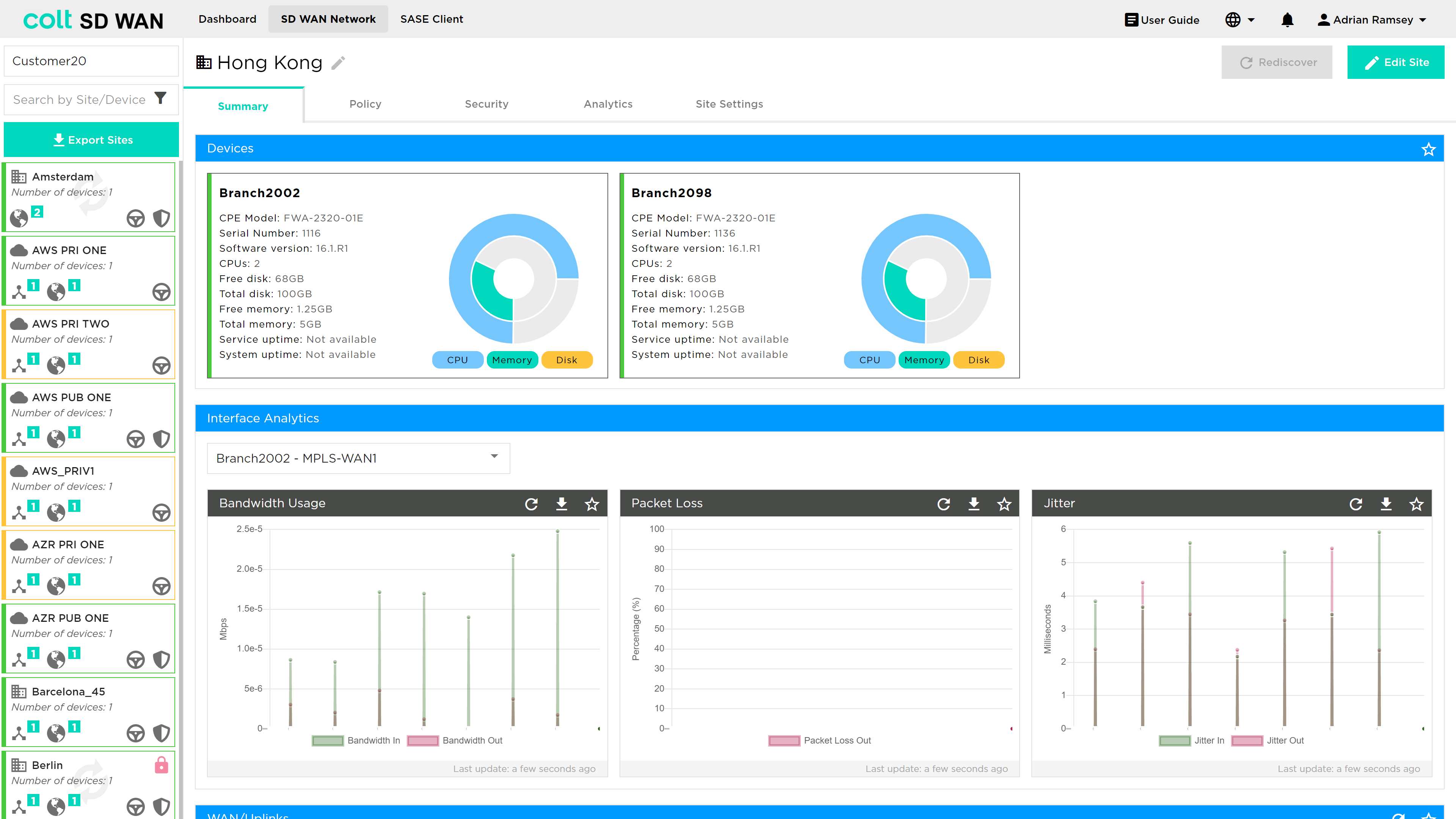
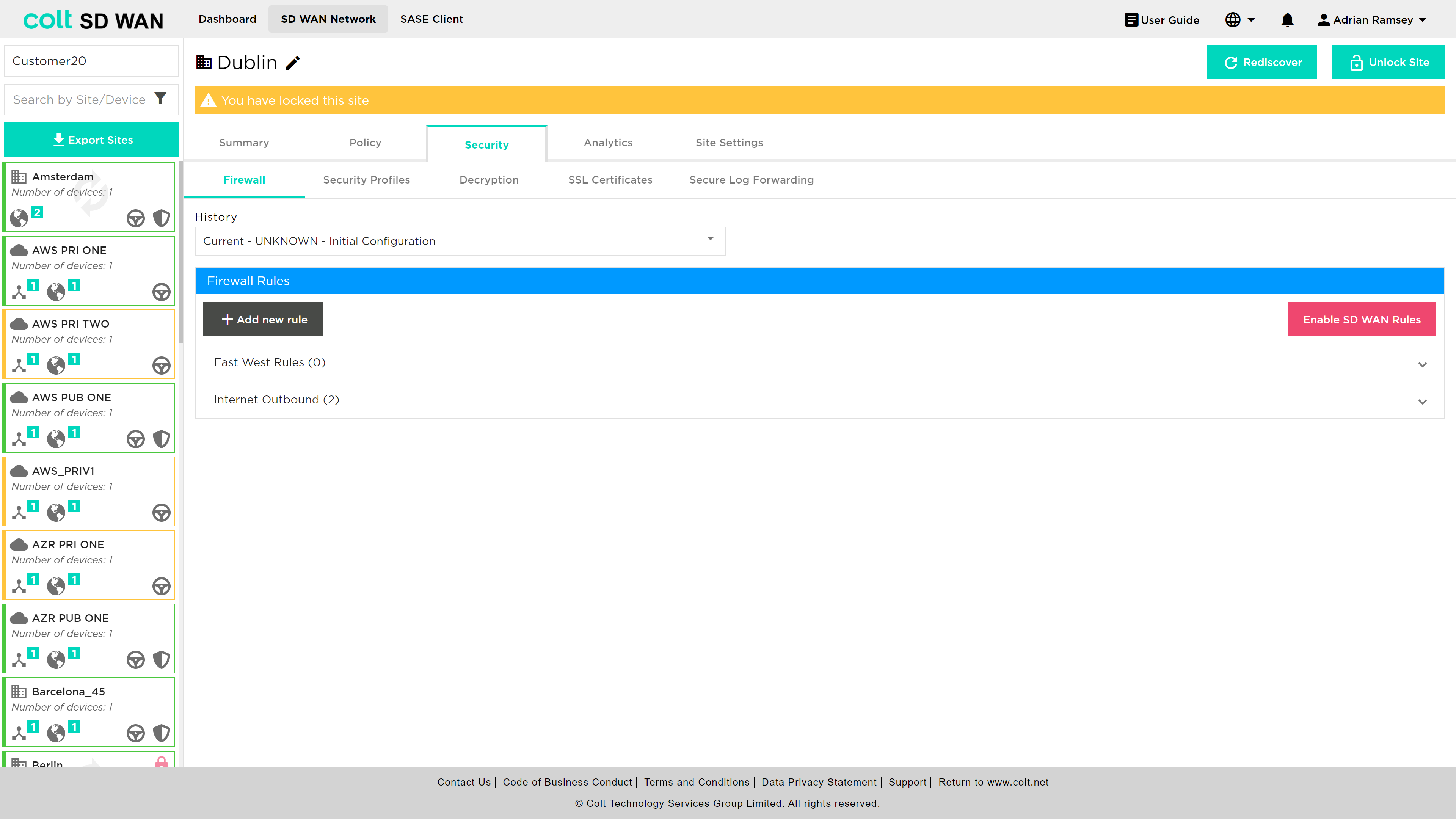
One important change in the SD WAN Portal is the requirement for each user: if they need to add or change a policy, they MUST lock the site by pressing the Edit Site button. This ensures that no other user can edit that site while changes are being made.
Once the Edit Site button has been selected, the user will be notified the site is locked, as shown below:
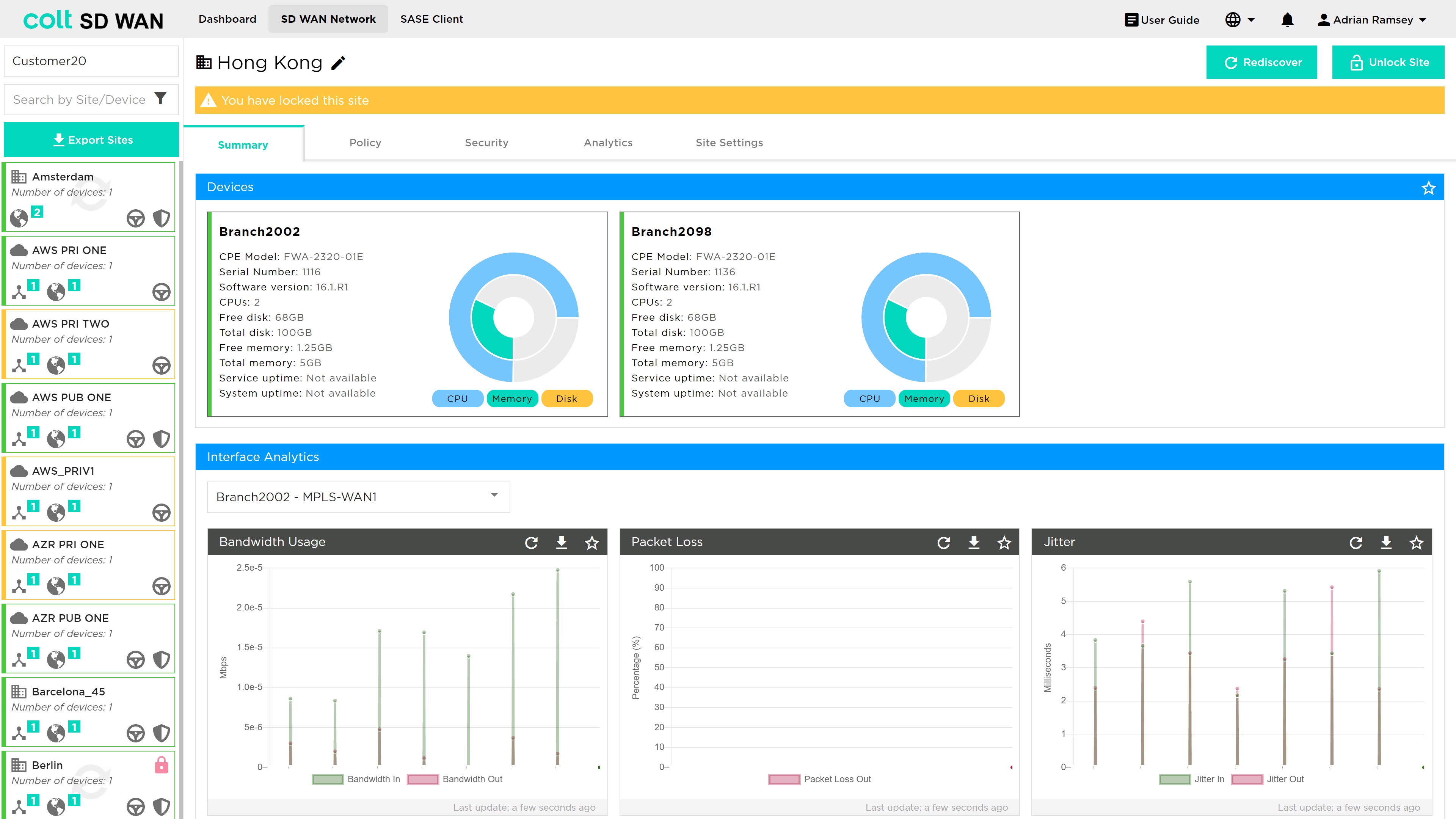
All Policy or Rule change functions, such as “Add Rule” or Edit Static Routes become available, for example.
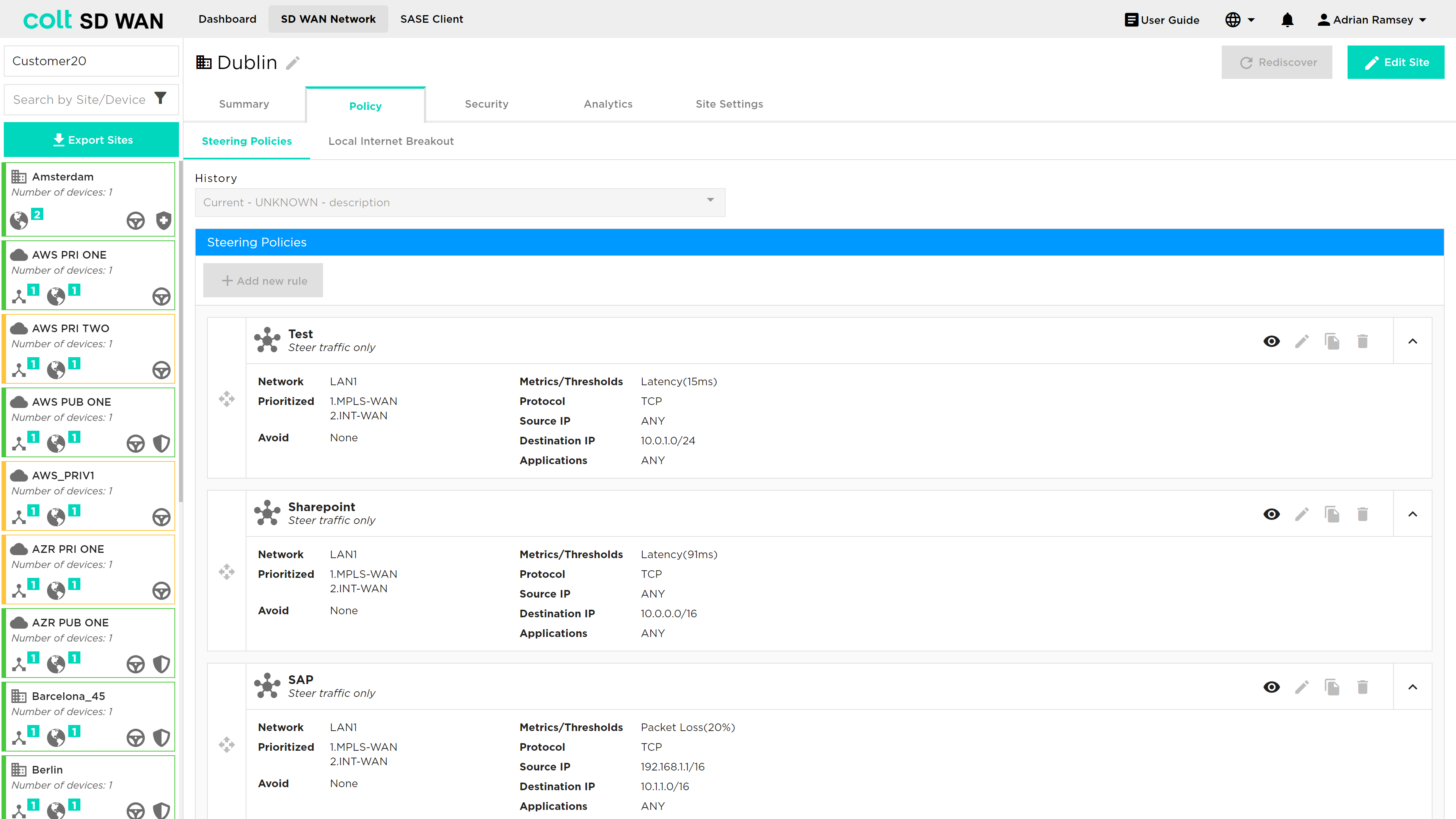
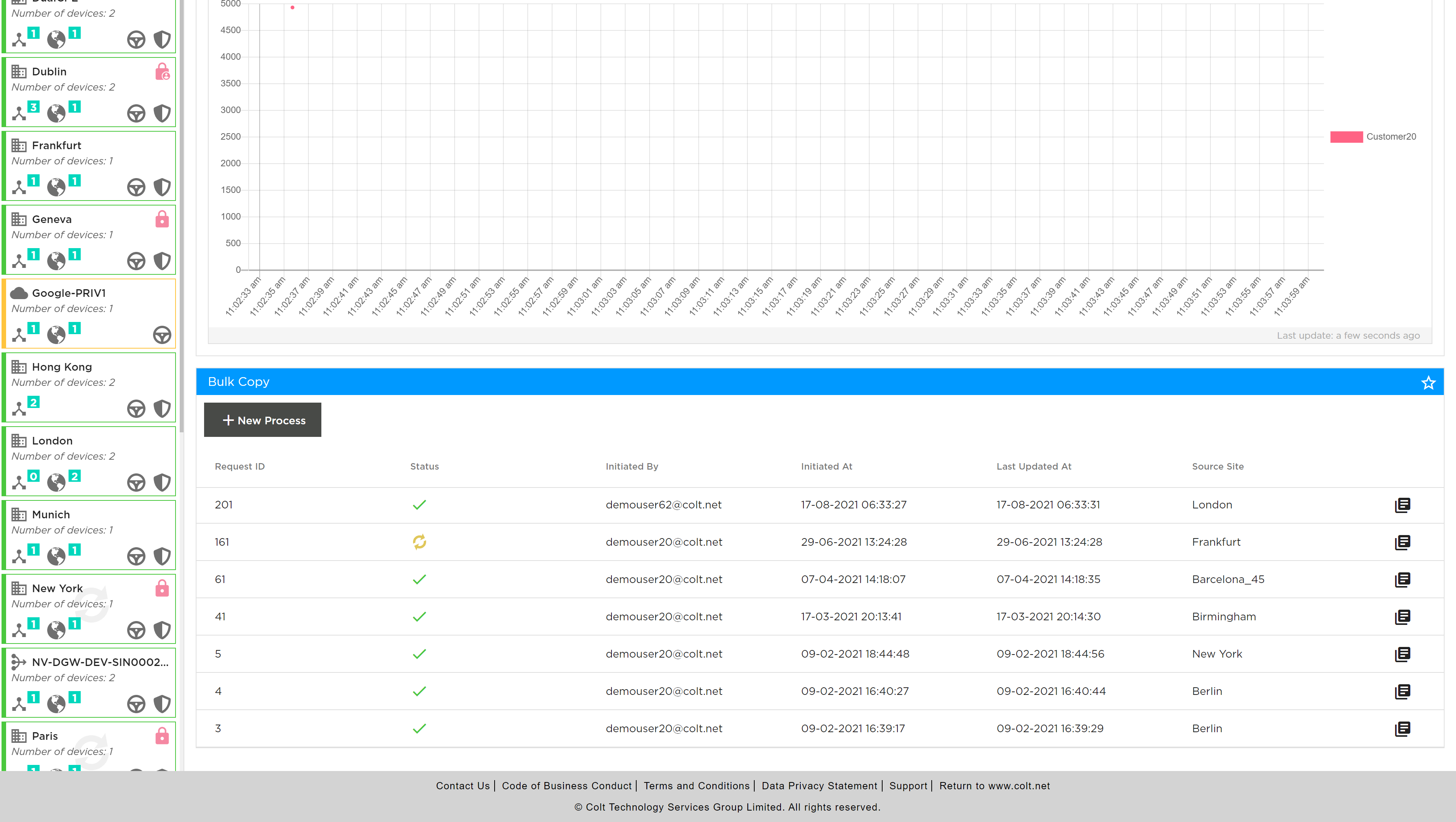
Any Traffic management policy, IP QoS, NetFlow or Firewall rules can be copied between sites of the same WAN and LAN configuration. The feature is available from the SD WAN Network page and is located at the bottom of the main view page as shown below. The bulk copy shows a history of the bulk copies and the details of each transaction can be viewed by clicking the view details button.
Bulk copies of rules can be created by selecting “+ New Process” button, note the site edit or locking does not need to be done for adding new Bulk Copy transactions. The adding a New Process starts the creation process by opening the following screen where the source of the rules can be selected. The type of rules available at the originating site are: traffic steering, Internet steering or Optimization, NetFlow, and for firewall the basic access control or advanced firewall including NAT, DDoS and IP QoS.
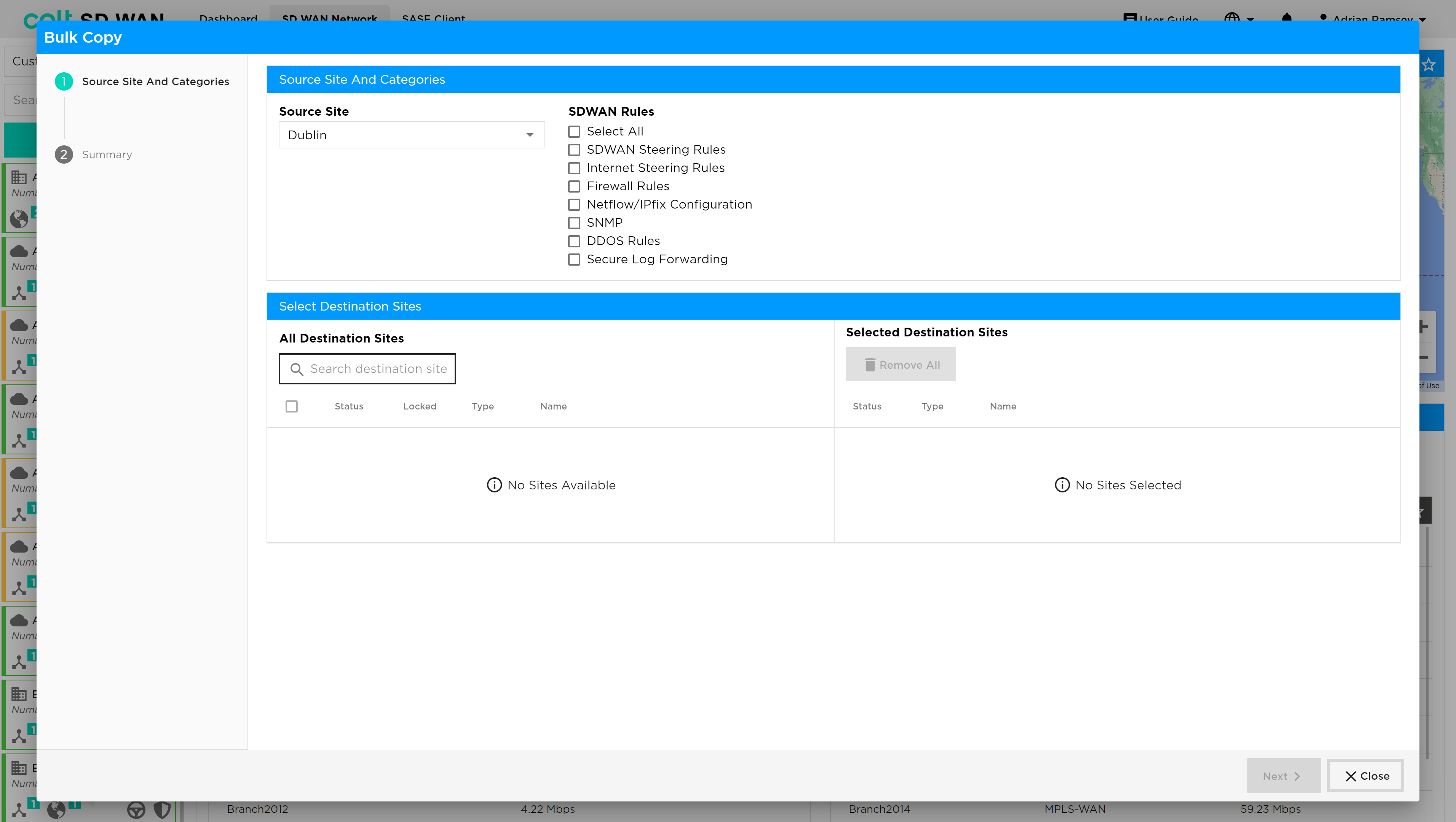
Follow the process as shown on the left hand view screen, note that this will vary in the number of steps, as each site may have different combinations of Firewall, Policy and DDOS features enabled. The Originating and Terminating sites can be entered manually. The destination sites need to manually be selected by using the check box.