Managed Installs
If you have opted for a managed installation of your device, you can track its progress by clicking on the device icon from the top navigation bar. Here you will find a table which shows the details and status of all your managed installs. On the right of each row there will be an email icon which contains a link to an in-depth instructions manual to help you with the installation process.
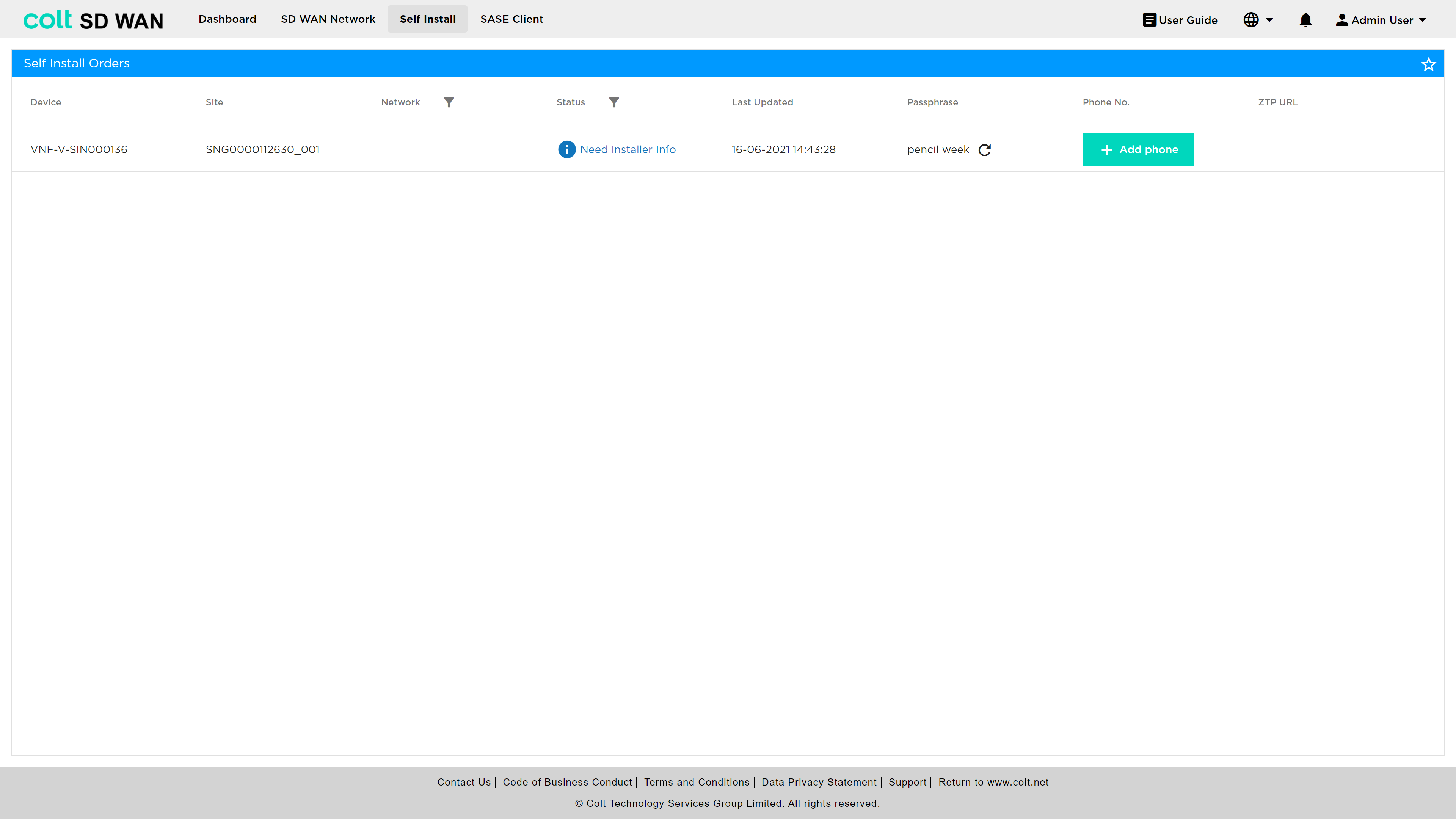
-
Colt Device Name: The name which has been assigned to your device and cannot be changed
-
Site Name: The name of the site where your device is located
-
Site Address: The address of the site where your device is located
-
Status: You will see the stage of which your managed installation is at here You will also be able to see whether your installation has been successful or failed
-
Last Updated: This shows the time and date of the last time a change was made in your installation process
-
Activation Phrase: You will need this passcode to activate your device You can generate a new activation phrase by clicking on the refresh button
-
Phone No.: This a contact number which you have provided When you have entered a valid activation phrase, a PIN will be sent via SMS to this number You can edit this at any time
-
ZTP URL: Zero Touch Provisioning is a feature that allows you to provision and configure your devices automatically Clicking on this icon will copy the ZTP URL which will initiate the process