Key Information
The Portal view provides information and formats that are useful to understand and know the locations of. Examples are the site specific information that provide a reference used when raising trouble tickets or IP address information beneficial for managing policies or rules.
Definitions
The portal provides views and management of SD WAN services as agreed and supplied as part of the customer service agreement. Bespoke or non-standard solutions may not be supported with the SD WAN Portal and customers should confirm this with their sales managers.
The Portal provides a view of all SD WAN customer premise equipment and standard SD WAN features at each site.
Customers who purchase SD WAN Multi-Cloud or Colt-provided VoIP services can also view and manage their Gateway sites. The Gateways are virtual network functions that provide routing between SD WAN and non-SD WAN services. For example, the Colt Multi-Cloud Gateway is an SD WAN vNF that allows traffic to route between the customer SD WAN network and either public or privately peered Cloud Providers such as Azure or AWS.
Configuration, policy and features enabled through the SD WAN Portal including Firewall rules, DDoS policies, traffic steering policies, traffic optimization, and log collection enablement are the responsibility of the Customer.
Customer information
Customer unique details include account information and site or location specific references and these will be required when raising trouble tickets or used as a common reference when discussing service at a specific location.
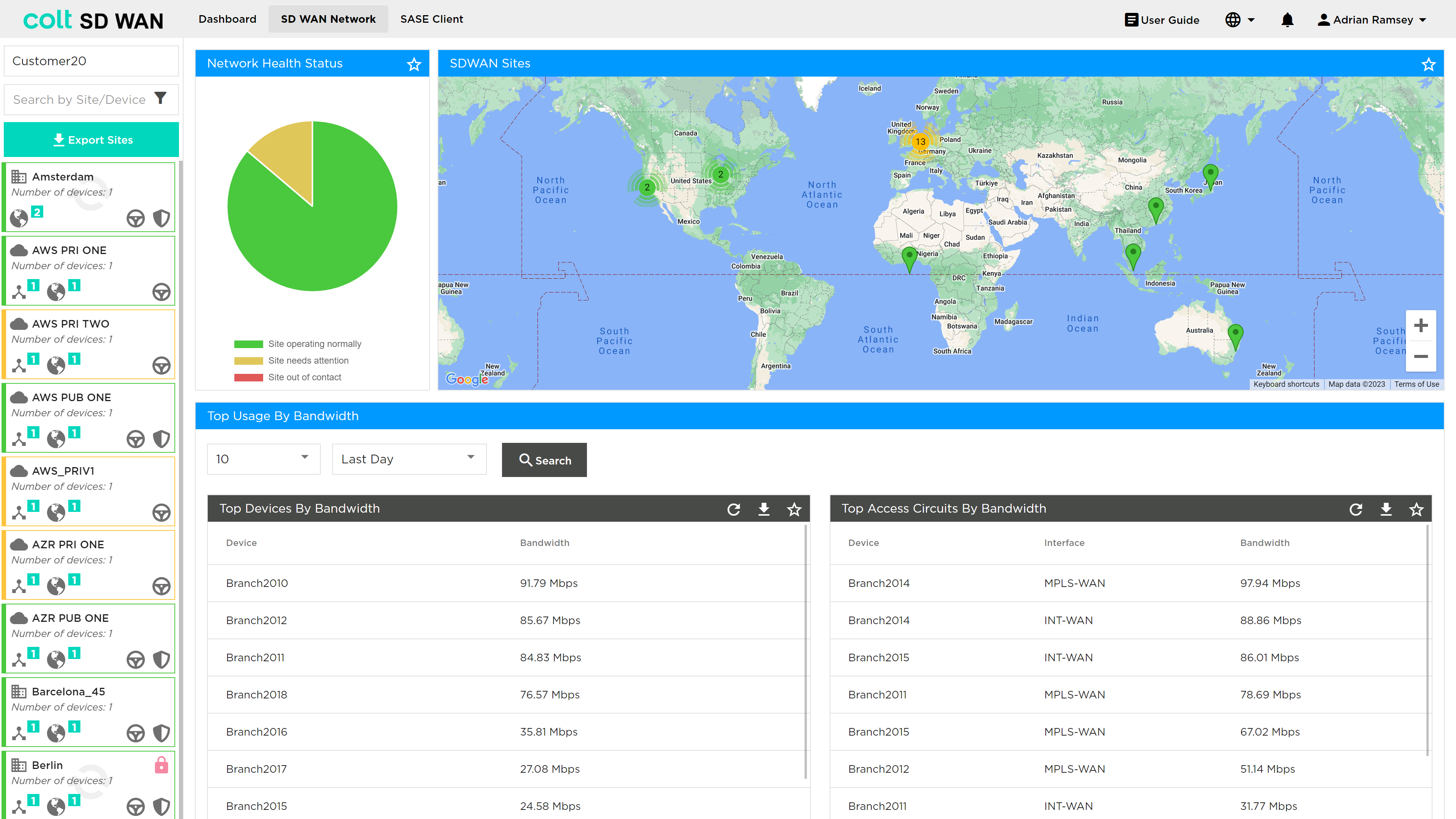
Sites are locations where SD WAN equipment or functions are located. A site can be a physical device (CPE), dual CPE or resilient pair of CPE and gateway. The gateway is virtual function that is a Cloud or network gateway associated with a customer service.
Account information – IPC/OCN number can be found in two places, the Profile view and the SD WAN Network shown.
Site information can be obtained from the summary page view which shows the number of CPE at each location and a CPE icon that can be selected to show the hardware and network information as follows:
-
CPE Name – Unique name generated for each CPE
-
Circuit ID – Unique circuit reference for each WAN circuit at that site
Service Information
Service information contains references to the networking services configured at each location and may vary by customer and site but contain any of the following items:
-
Interface is defined as format ‘vni0/x.x’ and refers to the physical interface the WAN, LAN or DMZ is connected too. The x.x refers to the interface and any VLAN tag used on 802.1Q trunks.
-
Circuit Speed is defined as the physical port speed that the circuit is connected to
-
Circuit Type for the WAN are either MPLS or Internet. If there are more than one circuit of the same type, e.g. 2 internet circuits, they will be named Internet1 and Internet2 but may be referenced elsewhere as Int1 and Int2
-
Circuit for LAN side can be LANx or DMZx where these are a vRF and have a unique IP address subnet defined. The x refers to a number to provide a unique label, e.g. LAN1 or LAN2
-
The vRF defines a VPN for the customers traffic each VPN is unique and can be used to assign traffic steering and Firewall policies to
-
IPv4 addresses are in the format of subnet, e.g. a.b.c.d/x. The WAN supports IPv4 addresses only. The LAN can support IPv4 and IPv6 addresses
-
WAN interfaces can support multiple IPv4 subnets for WAN and NAT Features, e.g. Internet can support a IPv4 subnet for WAN Link (Point to point network) and additional public IPv4 subnets for services such as NAT
-
CPE Usage & Status information
-
Circuit status
Naming conventions and data formats
The Portal allows users to provide input data to control services. There are some basic principles which are used for Traffic steering and Firewall polices as follows:
-
IPv4 Address can be supplied as single address in the format a.b.c.d/32 or a range of addresses, e.g. a.b.c.d/28 only
-
IPv6 Address formats 2001:0000:3238:DFE1:63:0000:0000:FEFB or 2001:0000:3238:DFE1:63::FEFB
-
Source IP address must be part of the vRF or subnet assigned to that VPN. That IP address can be in the form of a single/32 or range including all IP addresses
-
Destination IP addresses can be set to a single or range of addresses in the format above
-
Port number can be an assigned as single number, e.g. 80, or a range of numbers using the format 500 – 600