Icons
 Portal User Guide: Allows to open and read the Online version of the Portal User Guide
 Languages: A drop down list which shows the languages available in the portal
 Ringer: Notifications icon for events or unchanged configuration
 Dark Mode: Switches to the dark theme version of the portal
 Light Mode: Switches to the light theme version of the portal
 User profile: A drop down list which gives you access to your Profile & Help and support link
 Branch Site: Icon to show this is a branch site. There will be other icons for Multi cloud and VoIP Gateways
 Dedicated Gateway: Icon to show this is a Dedicated Gateway site
 Gateway: Icon to show this is a Gateway site
 Cloud Gateway: Icon to show this is a Cloud Gateway site
 Internet: States the number of uplinks at a site
 MPLS: States the number of MPLS uplinks at a site
 LTE: States the number of LTE uplinks at a site
 Download: Allows you to download an .xlsx file consisting of the raw data related to the respective reporting chart
 Pin: Allows you to pin specific graphs to the main dashboard for easy viewing
 Firewall Logs: Gives a detailed view of when a Firewall rule was hit and by whom
 Console button: Enable a console window to execute diagnostic commands and view routing information
 Edit Static Route: Enable a console window to add static routes
 Refresh: Refresh settings or screen views
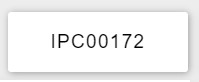 IPC number for customers with multiple IPC. Each IPC once selected from the drop down menu will reveal all associated sites and devices associated with that IPC.
 Steering: Indicates steering policies have been created within a site
 Security: Indicates Firewall rules have been created within the site
 Security: Indicates site has 'Security+' licence advanced security capabilities
 Integrated Routing and Bridging (IRB): Indicates interface has Integrated Routing and Bridging enabled
 Aggregated Ethernet (AE): Indicates an AE interface
 Standard Interface: Indicates standard interfaces
 PPPoE: Indicates interface is using PPPoE
 Standby: Indicates a standby interface that is configured but inactive until the primary interface fails.