SD WAN Device
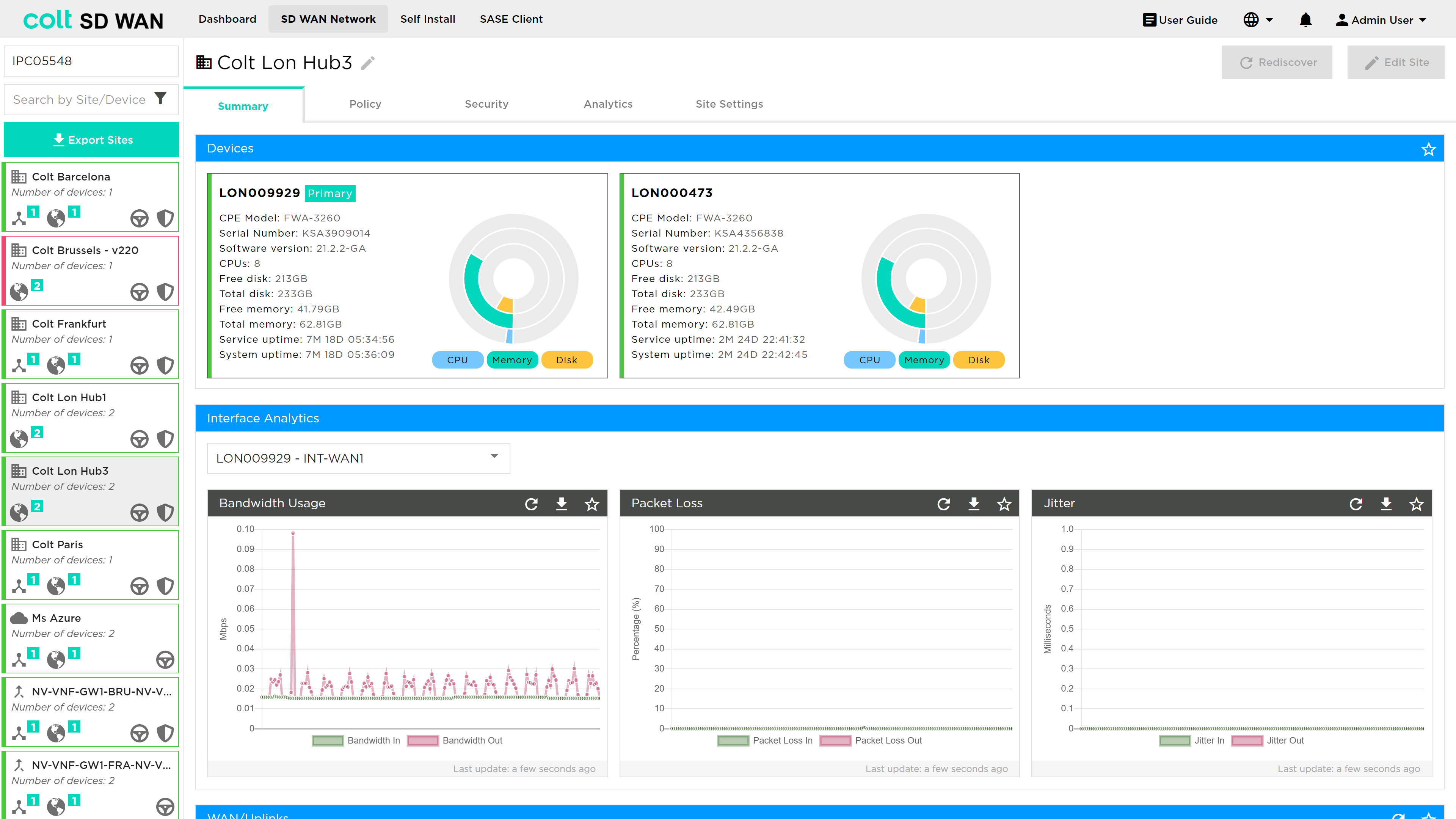
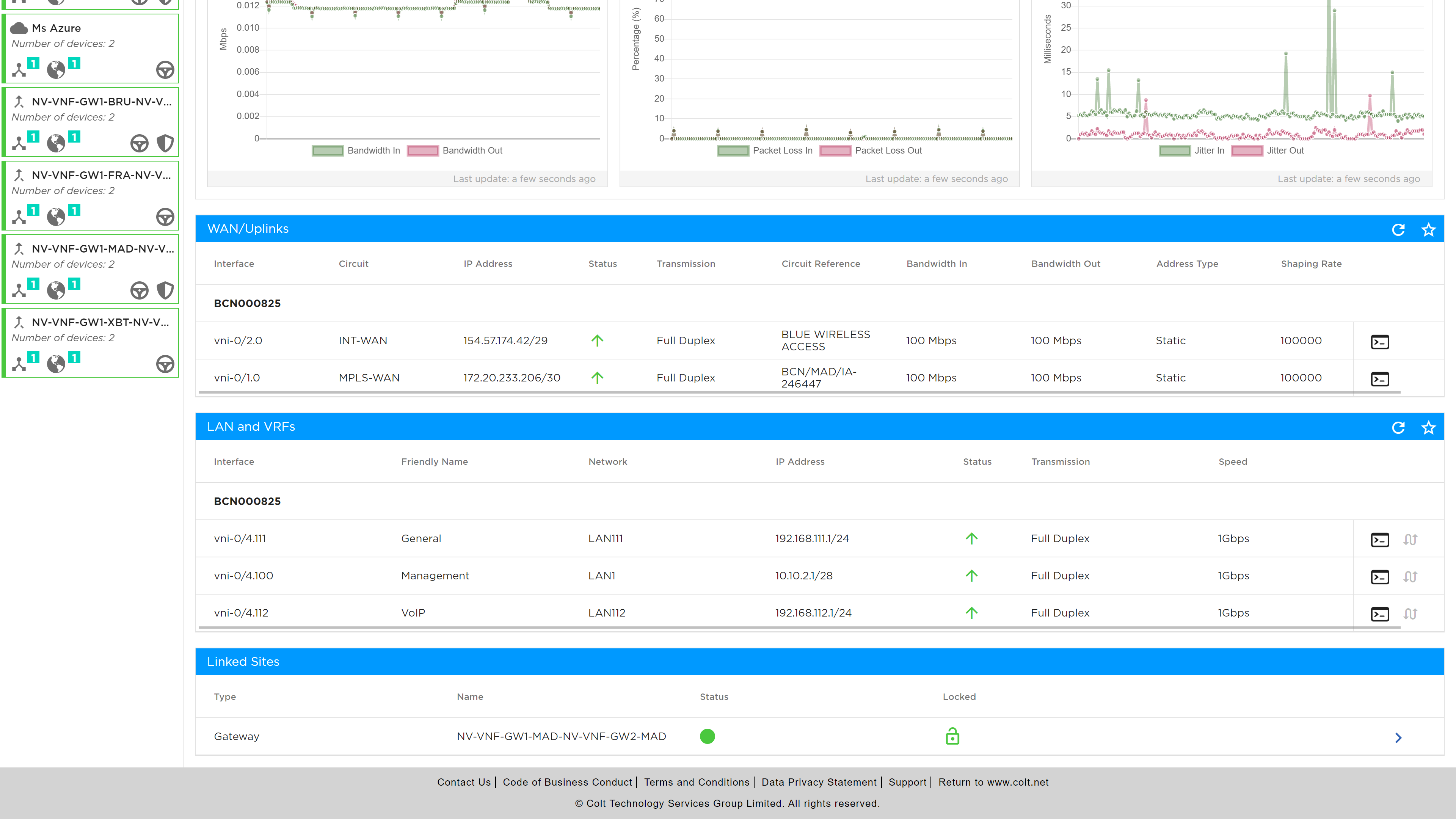
The customer devices, WAN, LAN interface status, Interface stats and IP addressing are shown plus the linked Internet Breakout Gateways, as shown in the screen shots below.
Summary
The summary page provides details regards the provisioned information for both the WAN, LAN and Tunnel connectivity. This includes the device name, status, speed, IP addressing, type and the circuit reference. In addition, the shaping rate for the interface outbound traffic is shown.

LAN and VRFs
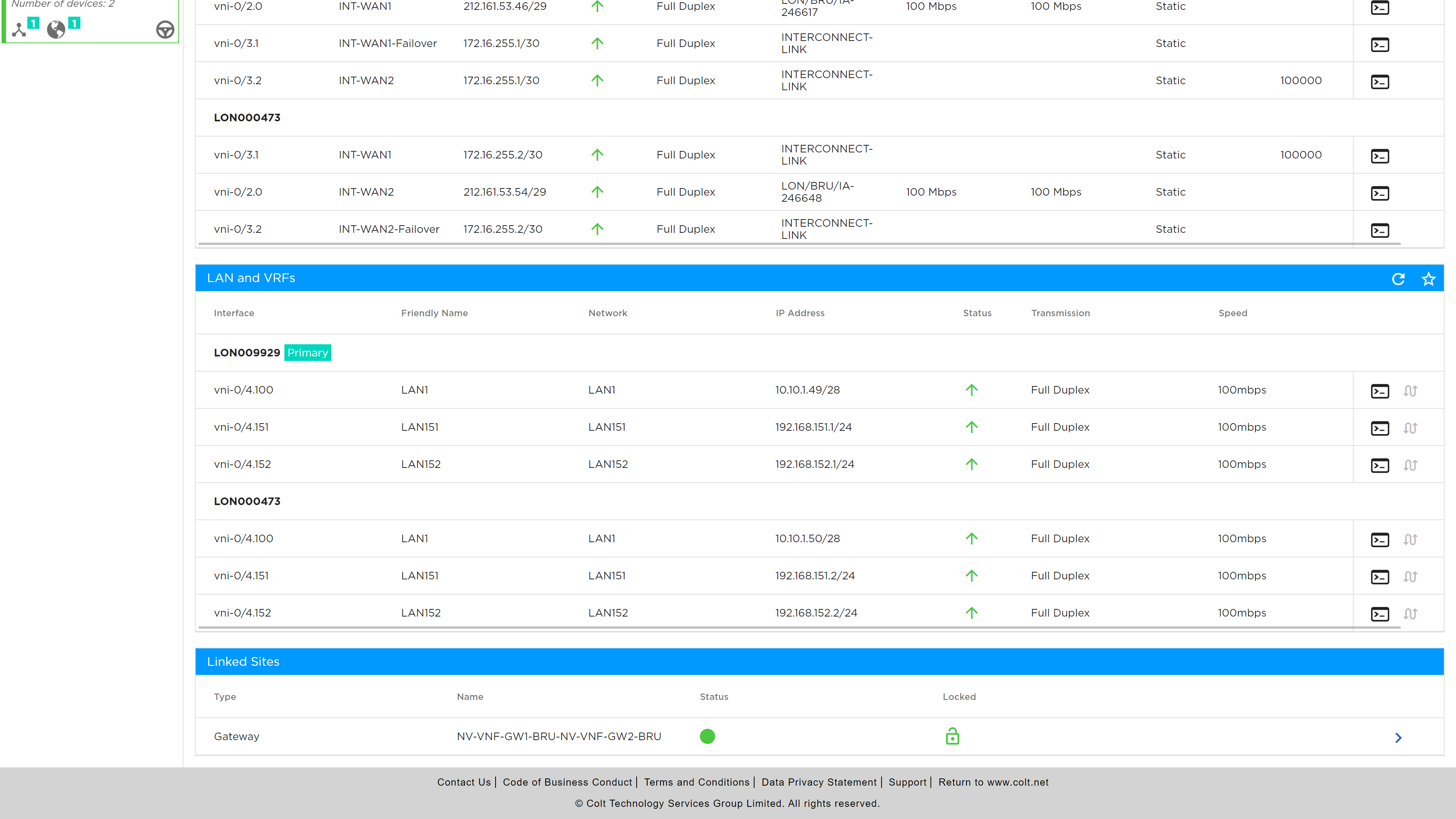
The LAN side interface is similarly shown, see the screen shot below, with device name, interface, IP addressing and two labels Network and friendly name that can be used when creating traffic and security policies.
| Network Name is provisioned during the implementation of the site and is not configurable via the portal. Any changes that may be required, need a change request to be raised to Colt. |
Tunnel Interfaces
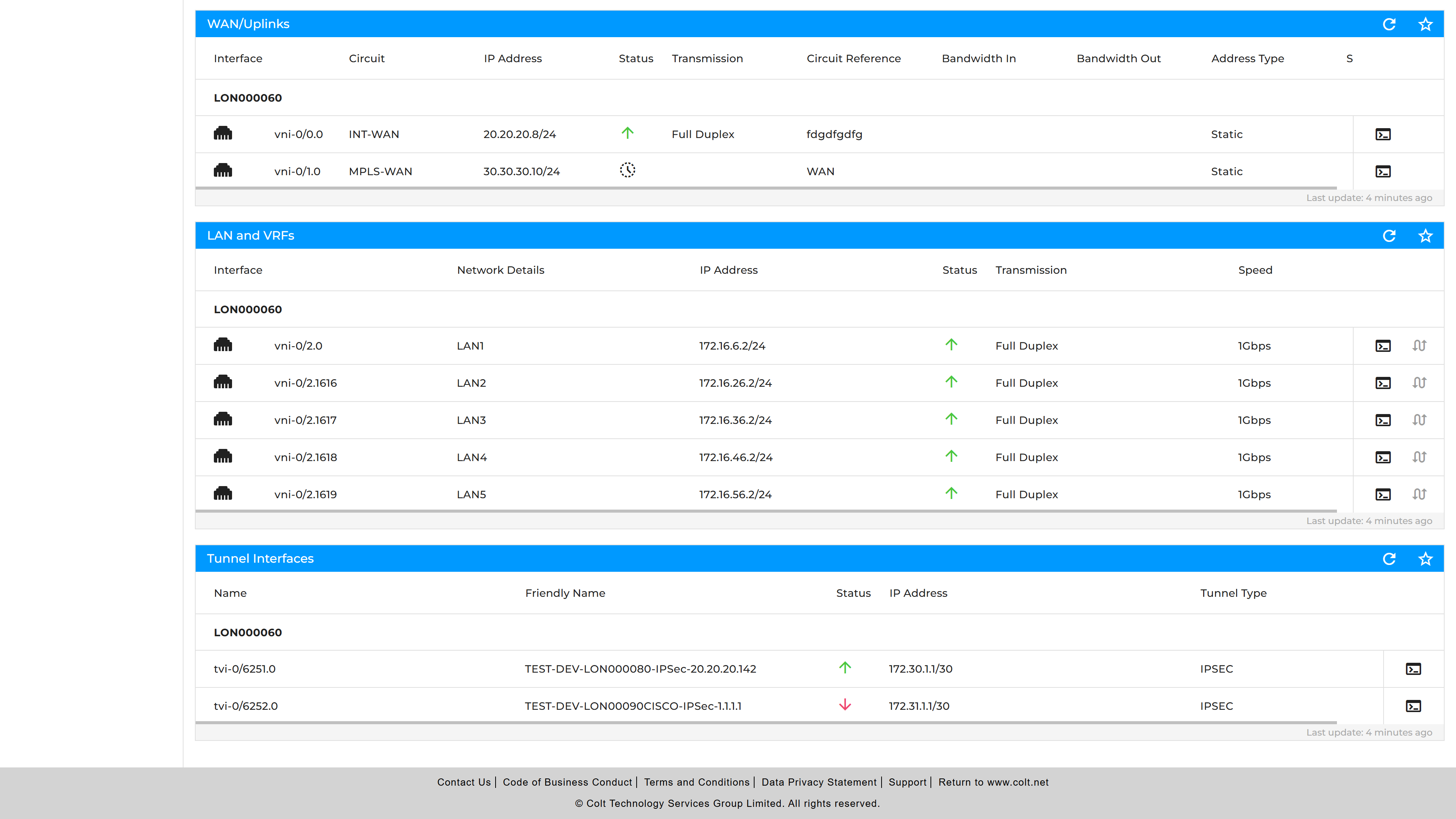
The tunnel side is shown in a similar manner as above, with all relevant information. Available tunnels include Versa and non-Versa IPSec tunnels. Please see the screenshot below:
An example of the use of the Friendly Names is in the screenshot below, when creating a traffic steering rule where the VPN is selected by a dropdown list of Friendly Names.
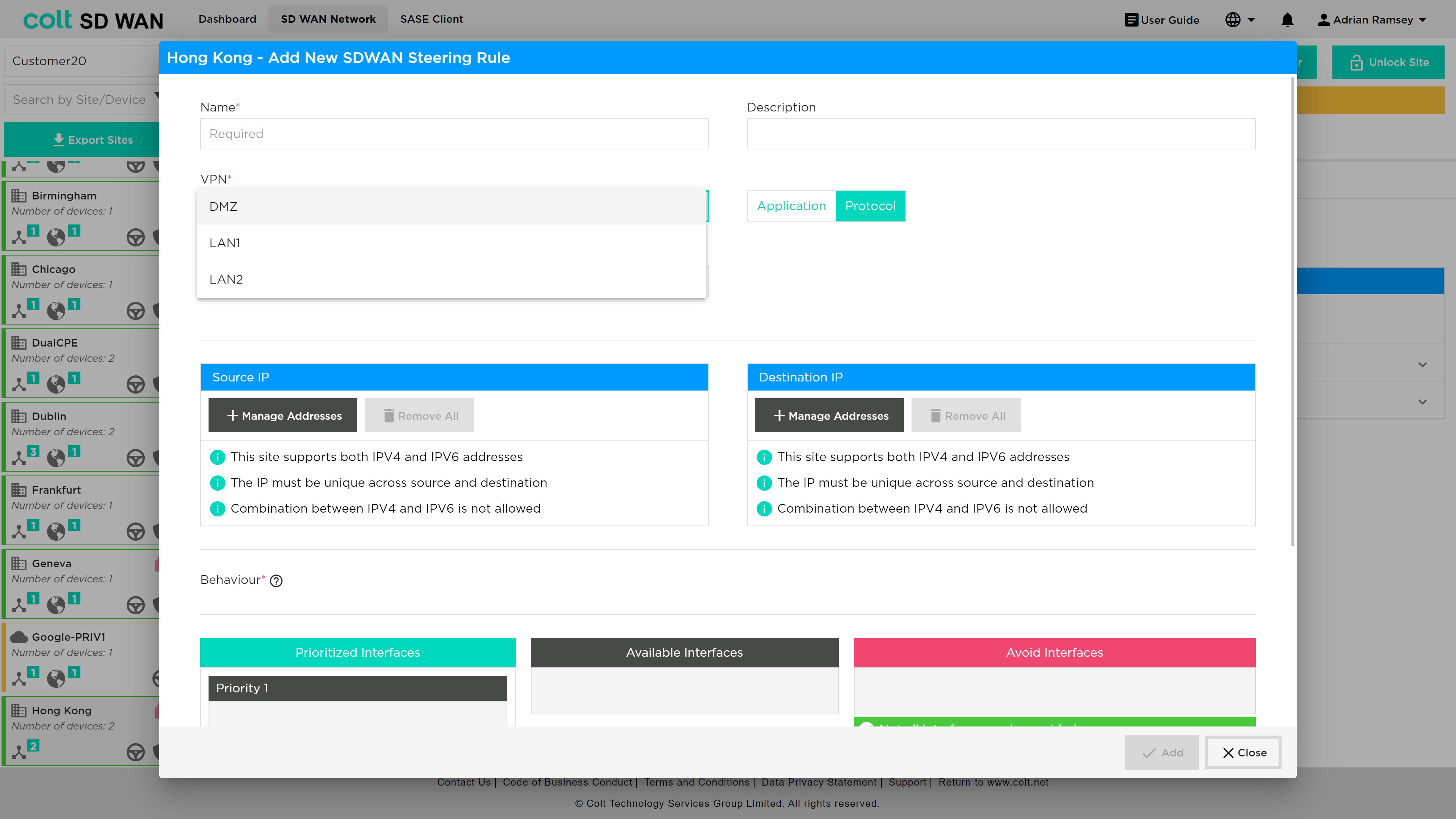
| For any changes of the Friendly Name, please go to "Site Settings" in the "General" tab. |
Console Diagnostics
Portal users can run diagnostic tests using the console window and icons. Diagnostic tools include: Ping, Traceroute, TX/RX, ARP, and QoS (See Diagnostics).
The command console can be found next to each interface. In the scenario of QoS command console, this resides within the Tools section, under Policy > QoS > Tools.
In the Tools tab, shown below the command console window can be opened to show QoS Policy, App QoS Policy and QoS mappings
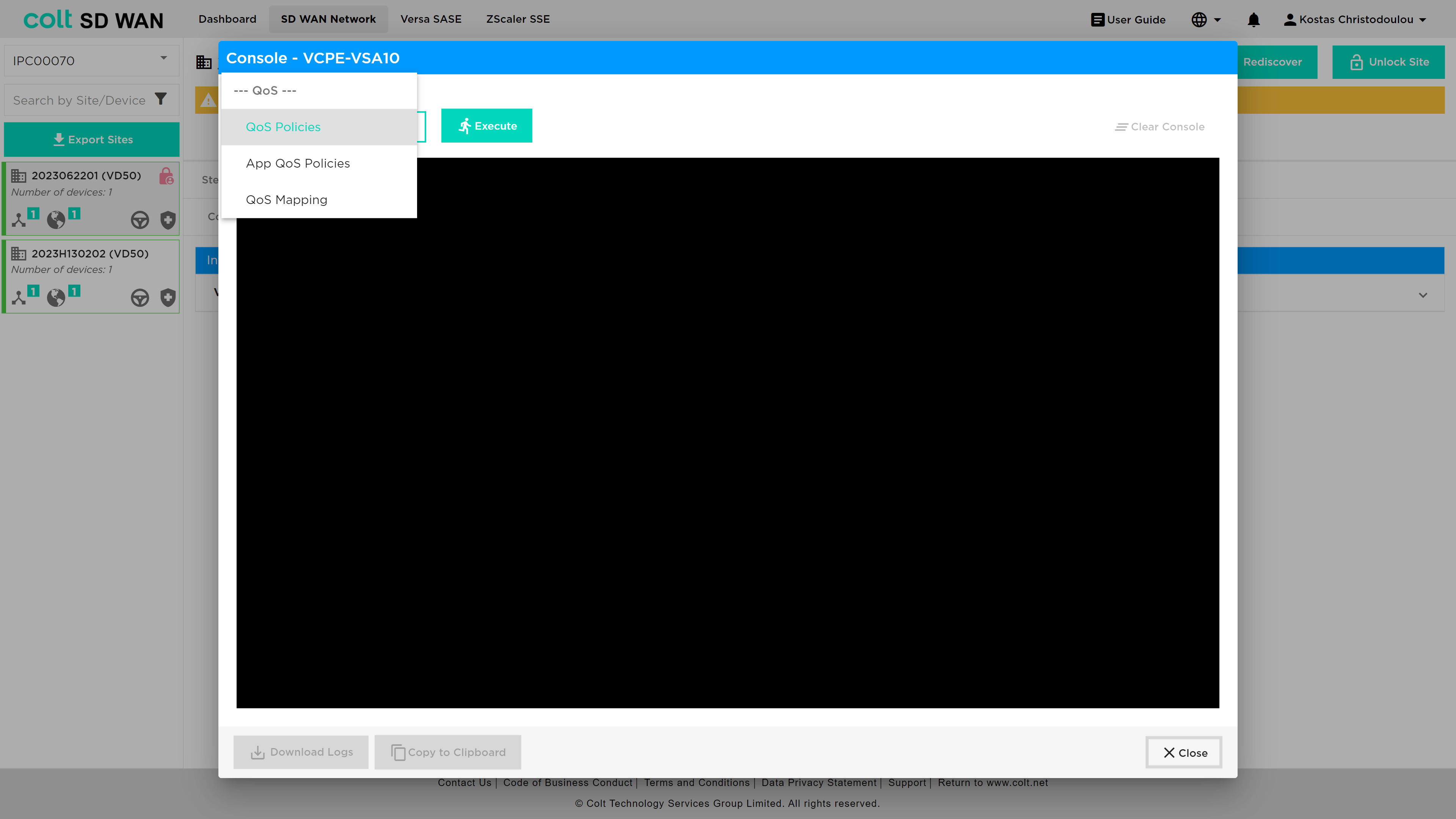
The QoS command line can be executed to show the versa configuration associated with basic QoS, Advanced QoS and QoS maps.
These show the configuration and counters associated with each forwarding class and queue.
For each site the list of associated internet breakout gateways are shown.
Rediscovery
The SD WAN Portal has a Rediscover button. When in a site, you have the option to "View Features", "Rediscover" or "Edit Site".
The Rediscover action triggers a resynchronisation between the SD WAN device and the Colt SD WAN Portal. When selected, the portal requests the latest configuration and status directly from the device (via Versa Director) and updates the information displayed in the portal. This is typically used when: * there is a newly onboarded device * changes have been made outside the portal (eg. directly in the network platform) * device information in the portal appears outdated or inconsistent * newly added configuration (e. interfaces) is not yet visible Once completed, the portal reflects the latest device state.
| The Rediscover option is only available when the site is in a valid/synchronised state. If a site is out of sync, recovery is not allowed until it is synchronized on Versa Director. Once synchronized, an automatic event is sent to the SD WAN portal to re-sync the device, after which rediscovery can be performed. |